
Immersive Blogs
Publications about innovation and new functionality.
Introducing Boop: Your Companion for Immersive Observability
Tessa, our AI Assistant for Immersive APM, is great at answering questions. But she has always faced one quiet problem: how do you ask her something when you're standing inside a 3D facility, looking at a service graph the size of a city block?
You shouldn't have to leave the world. You shouldn't have to remember the magic phrase. You shouldn't have to know which of Tessa's 46 specialized agents to call.
You should just be able to walk up to a friendly little robot and click him.
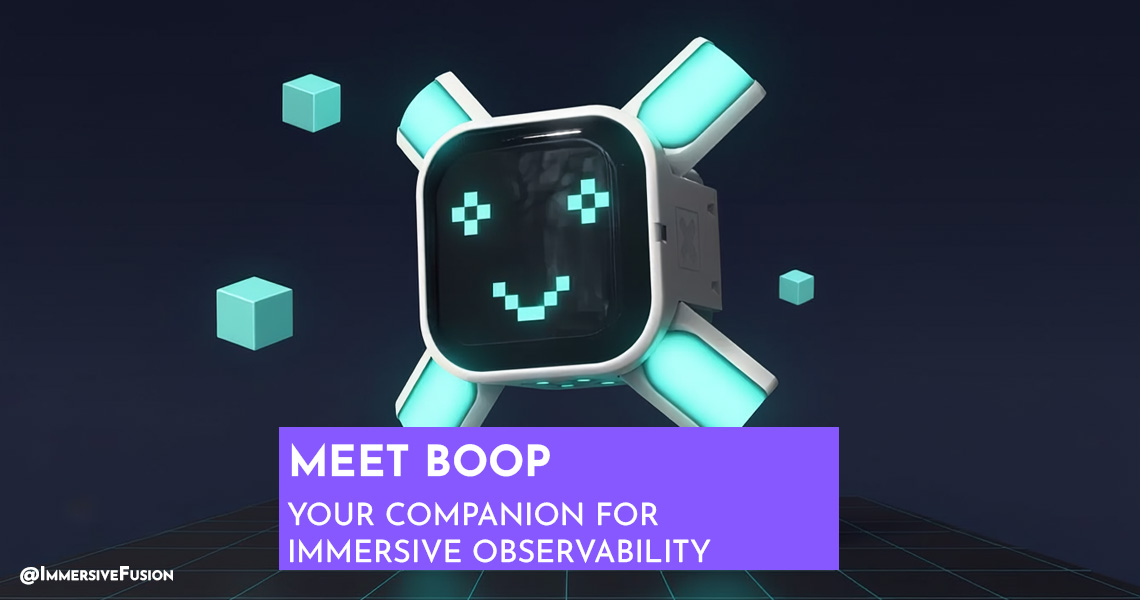
That little robot is Boop.
Who is Boop?
Boop is your companion in the Immersive Fusion Grid. He works for you, not for Tessa. His whole job is to be the friendly thing on your side: he follows you through the 3D environment as you explore your application (the facilities, the service graphs, the trace cubes, the diagnostic deep cubes), notices what you're standing next to, and turns that context into the right question for Tessa on your behalf. Wherever you go, Boop is nearby, idling, wandering, occasionally fiddling with a prop.
Click on him and a radial menu blooms outward in screen space, organized into three clear buckets:
- Help: explain what I'm looking at.
- Quick Read: probe this thing right in front of me.
- Deep Analysis: take this somewhere bigger (RCA, threat model, ADR, audit).
Pick a slice. Boop hands the question to Tessa with the right context already attached. She answers in the chat console. You stay in the world.
Why a Companion at All?
Tessa already has a chat console. You can already type "why is checkout slow?" and get an answer. So why add a character?
Two reasons. Both are about reducing friction at the exact moment you need help most.
Reason 1: You don't always know what to ask. When you're staring at a trace cube full of spans, the question you want to ask is "wait, what is this?" That's not a great chat prompt. But it's a perfectly natural click on a companion who already knows what you're looking at.
Reason 2: You shouldn't have to remember Tessa's whole vocabulary. Tessa can draft an ADR, run a full RCA, audit your LLM spend, threat-model a service, find security debt, and a dozen other things. Most users don't know that menu exists. Boop's job is to surface the right options at the right moment, based on what you're standing next to.
Boop turns Tessa's full toolbox into a one-click experience.
How the Menu Works
Boop's radial menu isn't a fixed list. It's composed on the fly from the providers active in your current context.
The Grid you're in. The trace you just opened. The diagnostic cube you walked into. The Portal Hub you came from. Each of these registers a context provider, and each provider contributes menu options into one of three buckets.
Today there are eleven providers in active rotation: Grid, Trace, Log, Service Map, Filter, Hall of Supporters, Portal Hub, Diagnostics, Research, Security, and Zen. They all play by the same rules:
- Help options explain what you're looking at and how to use it. ("How do I read a waterfall?")
- Quick Read options run small probes against the thing you can see. ("What's the slow span here?", "Show me errors", "What's the LLM cost on this trace?")
- Deep Analysis options kick off bigger workflows. ("Investigate with me", "Run full RCA report", "Audit my LLM spend", "Draft an ADR", "Threat-model this service".)
Empty slices stay empty. Crowded slices show what's relevant. The menu is always honest about what's actually available where you're standing.
Boop's Personality
Boop isn't a static icon. He's an animated character with idle behaviors and a face that reflects what's happening.
Boop, on purpose, doesn't speak. He's the friendly thing on your side: he listens, he gestures, and his face moves when a response is being delivered. The replies come from Tessa, in the chat console by default, and (if you turn voice on) in her voice through your speakers. Either way, Boop carries your question to her with the right context attached, she answers, and Boop's face plays along so you have something to look at while the response arrives.
His body moves when he's idle. When you boop him (yes, that's the verb), he gets to work. When you give him a Quick Read option, he prefills the chat console with the right utterance so you can edit it before sending. When the menu closes, it closes cleanly: one boop, one trip to Tessa, no leftover UI.
Small touches. They add up. Boop should feel like a teammate, not a popup.
Workspace-Aware From Day One
Two of Boop's most useful menus, Security and Research, are workspace-aware. That means when you connect your code workspace to IAPM, Boop's Deep Analysis options light up with workflows that operate on your actual code:
- "Find security debt" runs an audit on your codebase.
- "Check dependencies" reviews what you're importing and flags risks.
- "Threat-model this service" produces a STRIDE analysis.
- "Plan a security review" drafts a structured review plan.
- "Draft an ADR" writes one in Nygard format.
- "Compare approaches" runs a trade-off analysis.
- "Find related ADRs" surfaces decisions you've already made.
- "Audit a pattern" looks for inconsistent uses of an approach across your code.
These aren't synthetic demos. They're the same agents Tessa exposes through her chat interface, now reachable in one click from inside the 3D world.
Where He Came From
Boop didn't start in a product brief. He started in a kids' booklet about a robot named Boop and a friend named Wobble who keeps trying to throw him off balance. The booklet exists because explaining AI assistants to a nine-year-old turns out to be the same exercise as explaining them to anyone else, just with smaller words. The character that ended up in the Grid is the same character. He even kept the name.
📘 You can read the booklet here (free PDF, no sign-up).
There's one Boop. He's friendly. He's small. He knows the room you're in.
Boop him.
Start Free. Immersive. AI-guided. Full-stack observability. Enter the World of Your Application®.

Dan Kowalski
Father, technology aficionado, gamer, Gridmaster
About Immersive Fusion
Immersive Fusion (immersivefusion.com) is pioneering the next generation of observability by merging spatial computing and AI to make complex systems intuitive, interactive, and intelligent. As the creators of IAPM, we deliver solutions that combine web, 3D/VR, and AI technologies, empowering teams to visualize and troubleshoot their applications in entirely new ways. This approach enables rapid root-cause analysis, reduces downtime, and drives higher productivity—transforming observability from static dashboards into an immersive, intelligent experience. Learn more about or join Immersive Fusion on LinkedIn, Mastodon, X, YouTube, Facebook, Instagram, GitHub, Discord.The Better Way to Monitor and Manage Your Software
Streamlined Setup
Simple integration
Cloud-native and open source friendly
Rapid Root Cause Analysis
Intuitive tooling
Find answers in a single glance. Know the health of your application
AI Powered
AI Assistant by your side
Unlock the power of AI for assistance and resolution
Intuitive Solutions
Conventional and Immersive
Expert tools for every user:
DevOps, SRE, Infra, Education